Browse, Compare & Manage
All Your Claude Code Tools
The missing marketplace browser for the Claude Code ecosystem. A desktop MCP server manager for Claude Code that discovers, compares, and installs MCP servers, skills, commands, and hooks in one place.
Free forever. Native builds for macOS, Windows, and Linux.
Managing Claude Code config by hand is painful
Hand-editing .claude.json and hunting through scattered .claude/ folders across every project is tedious and error-prone. Plexory shows all of it in one place.
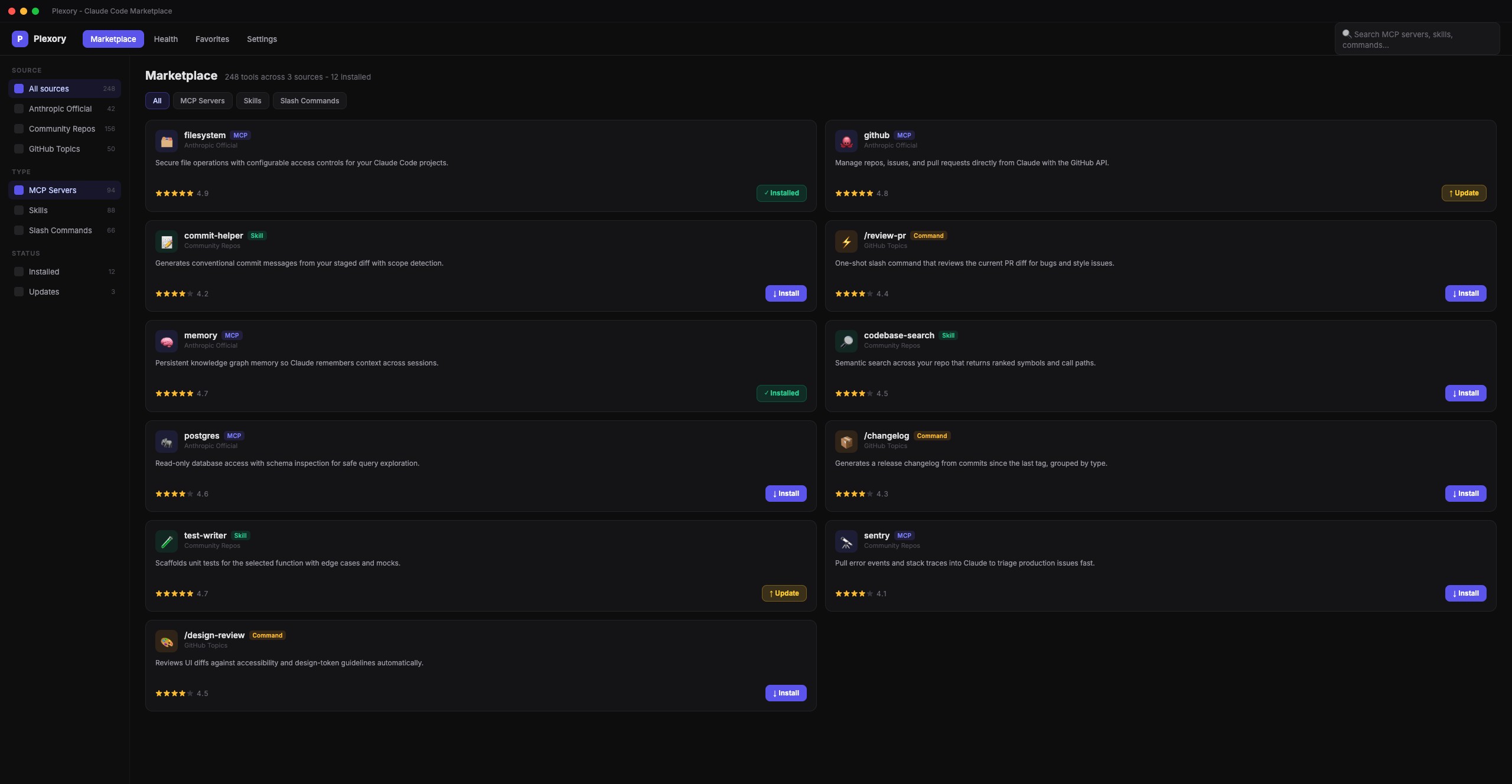

One-click install with global or per-project scope
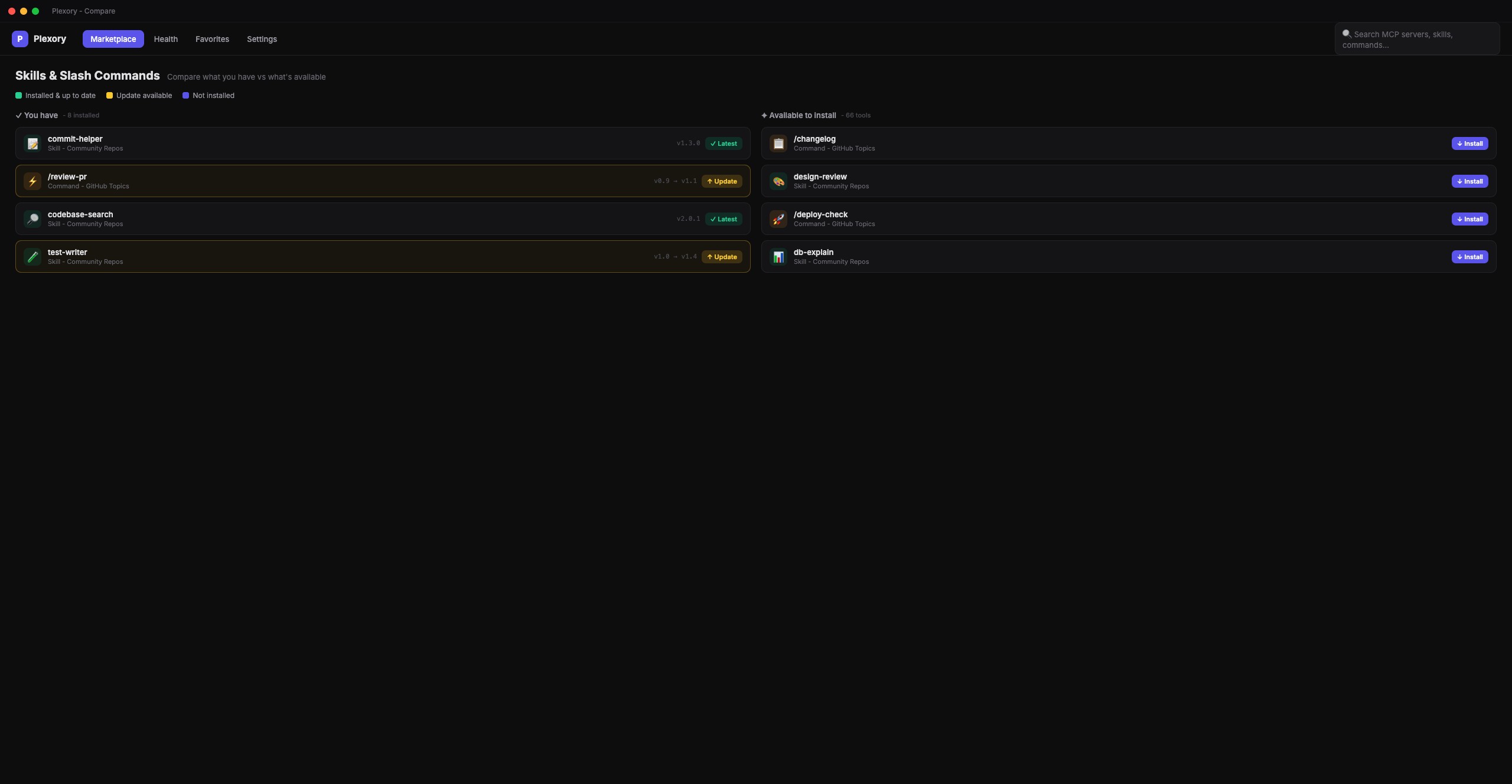
See what you have vs what's available at a glance
See it in action: search, install, and compare in seconds
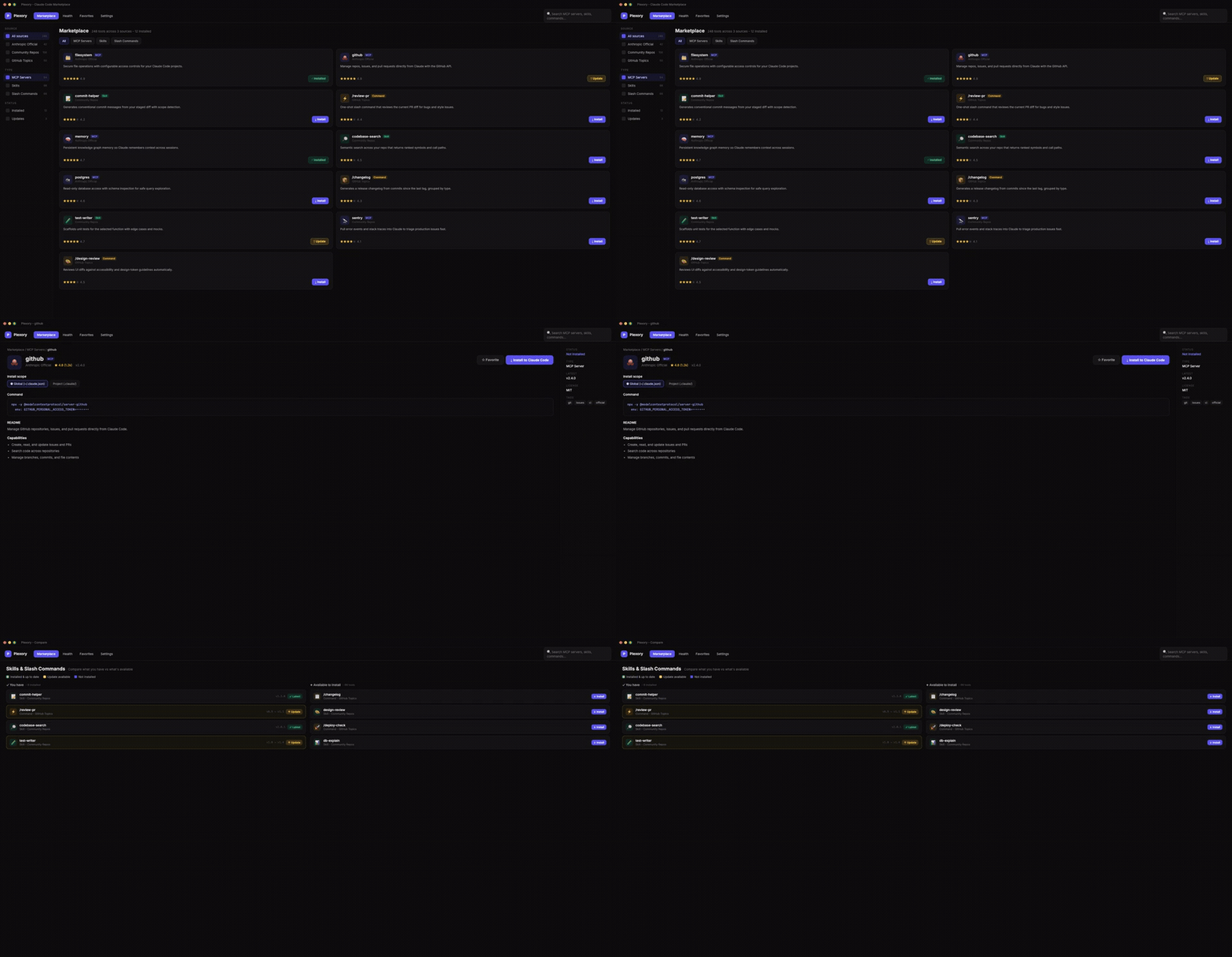
Discover
Browse 3 sources: Anthropic official, community repos, and GitHub topics.
Compare
See what you have vs what's available. Never miss an update again.
Install
One-click install of MCP servers, skills, and commands to your Claude config.
Pricing
Simple Pricing
Start free, upgrade when you need more.
Free
$0
Everything you need to browse and scan.
- ✓ Local config scanner
- ✓ Basic marketplace browse
- ✓ Manual install guides
Pro
$29 one-time
or $5/mo subscription
- ✓ Everything in Free
- ✓ One-click install/uninstall
- ✓ Auto-update notifications
- ✓ Config backup & restore
- ✓ Priority support
Frequently Asked
Is Plexory an MCP server manager for Claude Code?
Yes. Plexory is a desktop MCP server manager for Claude Code, and it doubles as a skills manager, slash command manager, and hooks manager - browse, compare, and install any of them from one app.
What platforms are supported?
macOS, Windows, and Linux. Native builds ship for all three today: macOS (Apple Silicon and Intel .dmg), Windows (.msi), and Linux (.AppImage).
Will Free users still get updates?
Yes - scanner, browse, and manual install stay free forever. Pro unlocks automation.
Can I get a refund?
14-day no-questions-asked refund via LemonSqueezy.
How do I download Plexory?
Download free from GitHub Releases. Pick your platform: macOS (Apple Silicon or Intel .dmg), Windows (.msi), or Linux (.AppImage).